
Welcome to the mailbox user forum


How do I change the PGP key with the new e-mail encryption settings?
Solved
How do I change the PGP key with the new e-mail encryption settings? E.g. if at some point I lost the old one or for some other reason wanted to use a new one for PGP at rest?
I don't really want to use an addon, I don't really understand the new option. When I activate it, it doesn't show me any form to enter a key either. I just can't read my mail using the webmail. I'm missing the old form where you could just paste a key.
 The same problem


No connection
Real-time notifications may not work
Dear k234525,
thank you for clarifying the issue! My apologies, there was a misunderstanding on my side.
Is this the setting you are looking for?
Kind regards
Your mailbox Team
---
Useful links:
Dear k234525,
thank you for clarifying the issue! My apologies, there was a misunderstanding on my side.
Is this the setting you are looking for?
Kind regards
Your mailbox Team
---
Useful links:
Isn't being able to change the key a very basic functionality? What if my key gets compromised? It would be nice to have some feedback on this.
Isn't being able to change the key a very basic functionality? What if my key gets compromised? It would be nice to have some feedback on this.
Just in case it wasn't clear, I attached a screenshot of the setting I'm concerned about. This used to allow me to change the PGP key. I don't want to install some strange browser addon, this isn't a safe thing to do, addons aren't sandboxed and I don't want to use whatever the addon provides. (No offense intended to those who like the addon, all power to you.) So how would I change the PGP as before, without any addon?
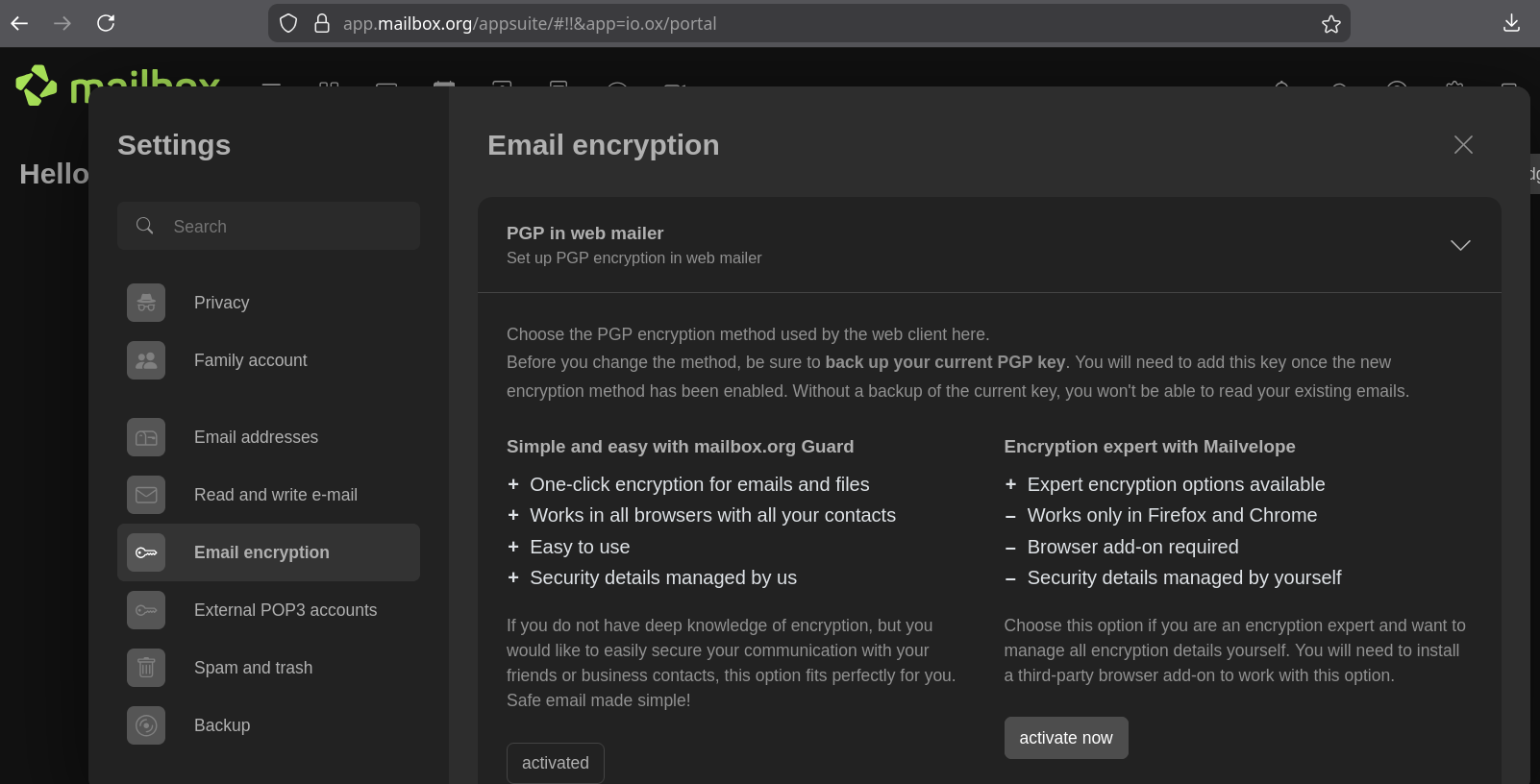
Just in case it wasn't clear, I attached a screenshot of the setting I'm concerned about. This used to allow me to change the PGP key. I don't want to install some strange browser addon, this isn't a safe thing to do, addons aren't sandboxed and I don't want to use whatever the addon provides. (No offense intended to those who like the addon, all power to you.) So how would I change the PGP as before, without any addon?

Dear k234525,
thank you for your message!
Please kindly check if the following menu option is available to you:
Caution: If you delete a PGP key, you will no longer be able to open emails or files encrypted with this key. Therefore, we recommend creating a backup of the key in a secure location (see https://kb.mailbox.org/en/private/encryption/backup-pgp-key/).
For further information, please refer to our knowledge base, e.g.
https://kb.mailbox.org/en/private/encryption/pgp-key-management/
https://kb.mailbox.org/en/private/encryption/how-can-e-mails-be-encrypted-with-pgp/#deactivating-and-resetting-the-guard
Please let us know in case you have any further questions.
Kind regards
Your mailbox Team
---
Useful links:
Dear k234525,
thank you for your message!
Please kindly check if the following menu option is available to you:
Caution: If you delete a PGP key, you will no longer be able to open emails or files encrypted with this key. Therefore, we recommend creating a backup of the key in a secure location (see https://kb.mailbox.org/en/private/encryption/backup-pgp-key/).
For further information, please refer to our knowledge base, e.g.
https://kb.mailbox.org/en/private/encryption/pgp-key-management/
https://kb.mailbox.org/en/private/encryption/how-can-e-mails-be-encrypted-with-pgp/#deactivating-and-resetting-the-guard
Please let us know in case you have any further questions.
Kind regards
Your mailbox Team
---
Useful links:
Replies have been locked on this page!