
Welcome to the mailbox user forum


is status.mailbox.org working?
Proposed
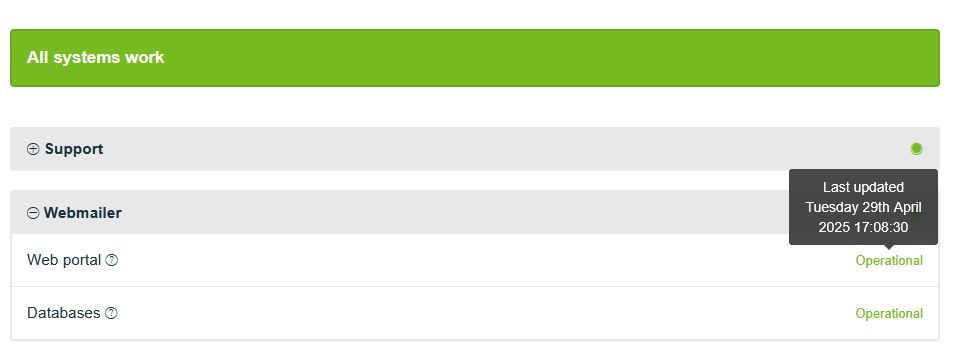
I cannot access to mailbox.org at the moment and I tried to check status from https://status.mailbox.org but looks like it doesn't work either.. all shows last update on April 2025??
 I like this idea


No connection
Real-time notifications may not work
In my experience, the actual mailbox status page is not actively maintained, even in the midst of major outages or disruptions. Customers are not informed on the status page about what is going on and why, and support provides vague answers when asked. See this recent post: https://userforum-en.mailbox.org/topic/4461-service-outage
In my experience, the actual mailbox status page is not actively maintained, even in the midst of major outages or disruptions. Customers are not informed on the status page about what is going on and why, and support provides vague answers when asked. See this recent post: https://userforum-en.mailbox.org/topic/4461-service-outage
I am having the same issue, mailbox.org was not loading from my home network, the only thing that loaded was status.mailbox.org and it showed quite old status updates. If this is not actively maintained, should it not be shut down?
Also connecting to pop3s port is no longer working from my home, since last Thursday. It is as if I have been ip-blocked or something. I have created a support ticket for this at support.mailbox.org
I am having the same issue, mailbox.org was not loading from my home network, the only thing that loaded was status.mailbox.org and it showed quite old status updates. If this is not actively maintained, should it not be shut down?
Also connecting to pop3s port is no longer working from my home, since last Thursday. It is as if I have been ip-blocked or something. I have created a support ticket for this at support.mailbox.org
I am indeed located in Denmark, so that could be the issue. My IP is in the 5.103.xxx.xxx range, so that seems to be within AS44869 block. If you could contact them, that would be much appreciated :)
As for your other questions: I will test as soon as I am home again. (Currently in the office.)
I am indeed located in Denmark, so that could be the issue. My IP is in the 5.103.xxx.xxx range, so that seems to be within AS44869 block. If you could contact them, that would be much appreciated :)
As for your other questions: I will test as soon as I am home again. (Currently in the office.)
I am having same issue now 22.3.2026 . Before,no problem open the email on my phone Android ,now ,when I put the password is showing round circle that is opening ,but never open it.......don't know what happened and why it is now doing like that .
I opened with no problem at iPod
I am having same issue now 22.3.2026 . Before,no problem open the email on my phone Android ,now ,when I put the password is showing round circle that is opening ,but never open it.......don't know what happened and why it is now doing like that .
I opened with no problem at iPod
I can confirm. I was having error 500 (internal server error) today for at least few minutes. It happened both in web app and when accessing the app via web browser (it didn't happen for company website though):
Error 500 happens when something goes wrong on the server side, that's by no mean problem on the receiving side.
Yet the status page shown that everything is working butter smooth 👍
Mailbox, you should track it more reliably and also include the history of downtimes.
I can confirm. I was having error 500 (internal server error) today for at least few minutes. It happened both in web app and when accessing the app via web browser (it didn't happen for company website though):
Error 500 happens when something goes wrong on the server side, that's by no mean problem on the receiving side.
Yet the status page shown that everything is working butter smooth 👍
Mailbox, you should track it more reliably and also include the history of downtimes.
Replies have been locked on this page!