
Welcome to the mailbox user forum
 

How to log in to OX Drive on Windows? Unable to enter server URL

3273504 shared this problem 2 years ago
Published

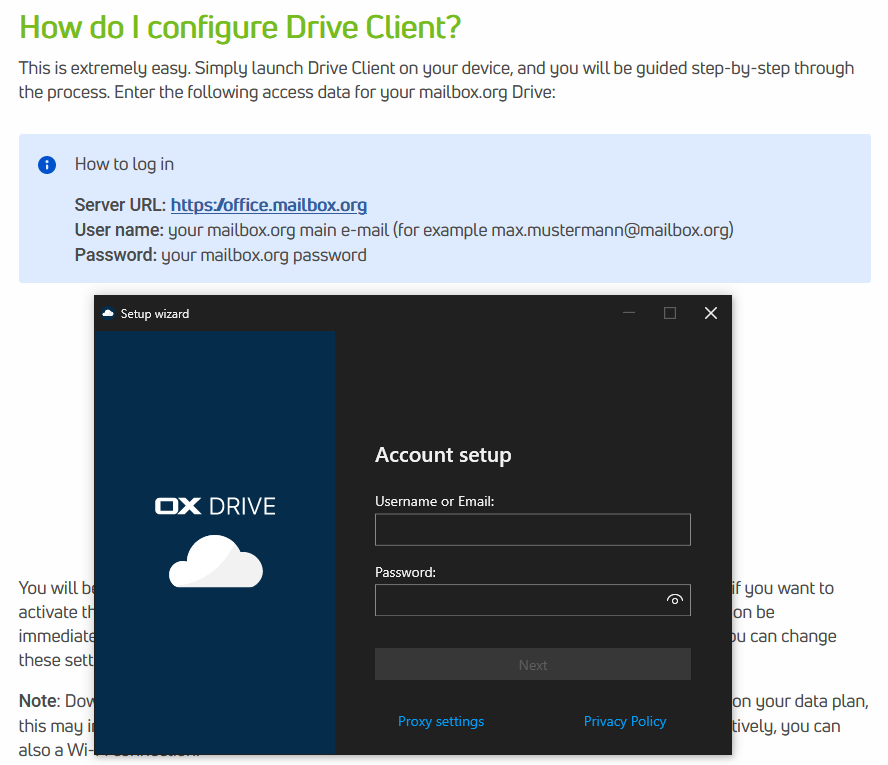
According to the knowledge base I have to enter the server URL, along with my user name and password, to configure the Drive Client. However, I am unable to find where I can enter the server URL (see screenshot below).
d407a0982bd549a63c97bde0f3d7fc8c

Replies (1)

photo
1

just enter username/password, next step ask you server url

photo
1

I am unable to reach the next step, because it tells me my login details are incorrect. And I assume that the only way it can tell me my login details are incorrect is after verifying them with some server, but which server I don't know because I'm unable to see or modify that part.

photo
1

I'm having the same issue. Is there a solution?

photo
1

Unfortunately not. I ended up contacting support and here's what they told me in the end:


"Unfortunately, we have no idea what to do and can only offer limited support for client-side issues as we are not familiar with your setup as a mail provider. Does this behaviour occur on another PC running Windows? You can also connect the drive via WebDav.

https://kb.mailbox.org/en/private/drive-article/webdav-for-windows"

I gave up after that. My suggestion would be to try either Proton Drive or Tresorit instead, they were both easy to configure and I've had no issues with them.

photo
1

Works fine for me. What have you entered as username? Have you tried usernameXY@mailbox.org and also usernameXY?

photo
Leave a Comment
 
Attach a file
Access denied